WOMBATS Shield vs Pi-hole — what you’re actually buying.
Pi-hole is a brilliant, free, open-source project, built by volunteers in their spare time — and if you enjoy running your own network, it might be all you need. Shield is for the households where nobody wants that job: filtering and parental controls on every model, with storage and travel Wi-Fi on Edge and Vault.
The 30-day home trial for AU & NZ households: if Shield isn't right for your home, send it back — prepaid label, full refund.
Choose WOMBATS Shield if…
…you want the outcome without the project. Filtering for the whole house and the family controls a parent actually uses, on every model — plus the photos and files on your own shelf on Shield Edge and Vault. Set up in about fifteen minutes, with signed updates you install in under a minute, a 12-month warranty plus Australian Consumer Law, and a 30-day home trial for AU & NZ households.
Choose Pi-hole if…
…you like this sort of thing. You’ll learn a lot, you’ll pay nothing for the software, and its community forum is there when you’re stuck. Donate to the project if it serves you well — volunteers build it in their spare time, and that deserves support.
A project versus an appliance.
Pi-hole blocks ads and other unwanted content for every device on your network, with a web dashboard for its statistics; the hardware, the operating system, the router change and the upkeep are yours to look after. Shield is the filtering plus the family layer on top, in one supported box — with family storage and a media library on Edge and Vault, and Mac backups on Vault.
Side by side.
What it is
- WOMBATS Shield
- A supported hardware appliance for the whole family job, bought once
- Pi-hole
- Free, open-source DNS-filtering software (a “DNS sinkhole”) that you run on your own hardware, or in a container
Setup
- WOMBATS Shield
- About fifteen minutes with your modem’s admin login. It works with the modems in most Australian homes, and Guided Setup walks you through any it can’t set up by itself; with Starlink, eero and other routers you can only set up in a phone app, talk to us before ordering
- Pi-hole
- Its own steps: install a supported operating system (or run it in a container), run the installer, then configure your router’s DHCP options so devices use Pi-hole for DNS
Who answers your lookups
- WOMBATS Shield
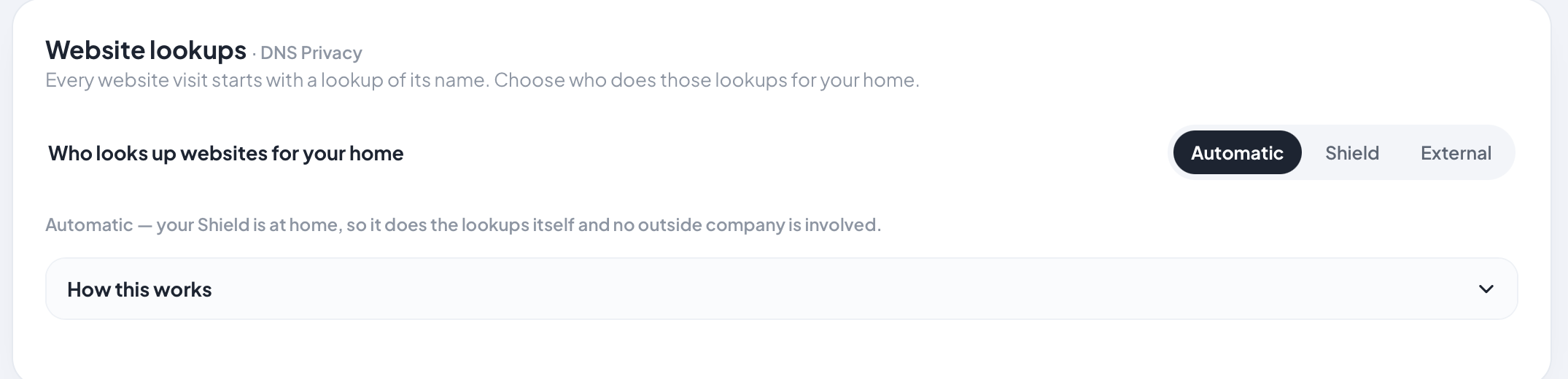
- Your Shield itself, out of the box. At home it looks websites up from the internet’s root servers (recursive DNS), so no DNS company sees the household’s lookups; when Edge or Vault is on borrowed Wi-Fi, lookups are encrypted to a provider you choose. Your internet provider still sees which sites you connect to.
- Pi-hole
- Forwards lookups to upstream DNS servers you configure. Its guide to resolving them itself adds Unbound, a separate recursive resolver you install and maintain
Who does the upkeep
- WOMBATS Shield
- We do: the public filter lists keep updating on their own, we publish signed software updates you install from your Shield’s Update page in under a minute, and we answer support
- Pi-hole
- You do — operating system updates, Pi-hole upgrades, blocklists and troubleshooting, with help from its community forum
SafeSearch
- WOMBATS Shield
- On every Shield for the whole house — Google, Bing, YouTube and other major search engines; per device on Edge and Vault
- Pi-hole
- Not a setting in Pi-hole’s documentation
Parental controls
- WOMBATS Shield
- Parent-first, from your phone. Every model: whole-home filtering, SafeSearch and app blocking, plus per-device pause and schedules. Edge and Vault add filtering, SafeSearch and app blocking per device.
- Pi-hole
- Group management: blocklists and allow and deny rules can be applied to groups of devices
Apps built to stay online (TikTok, Meta's apps)
- WOMBATS Shield
- Closed on their main route and their backup routes, at the network, through website lookups and the Shield's own firewall. Facebook, Instagram, Messenger and Threads on their own switches, WhatsApp untouched. The popular apps are re-tested every month and the next update closes any new route. How, and the one-take proof →
- Pi-hole
- Filters website lookups only (its site describes it as a “DNS sinkhole”): an app is blocked as far as the addresses on your lists go. The backup route TikTok used in our test wasn’t on the public TikTok service list we checked (27 September 2026)
Devices getting around the filter
- WOMBATS Shield
- A device’s own DNS settings, common encrypted-DNS routes and Apple Private Relay are blocked at the network, and attempts show up on your dashboard. A determined user on a managed device can still use a VPN to tunnel out.
- Pi-hole
- Out of the box, it switches off Firefox’s automatic encrypted DNS and iCloud Private Relay, so Apple devices don’t bypass it
Storage, media and travel Wi-Fi
- WOMBATS Shield
- Shield Edge (on your own USB drive) and Vault: family storage and streaming to your TV (Jellyfin, DLNA). Shield Vault: a built-in 256 GB drive — encrypted, with encryption switched on when you first set up the drive — and Time Machine backups for Macs. Travel Wi-Fi: Edge over a cable; Vault cable-free, even on networks with a login page.
- Pi-hole
- Not what it’s for
Filtering that follows the kids’ phones
- WOMBATS Shield
- On Shield Vault — Follow-Me Filtering: your rules on the kids' phones away from home, through a free app. The phone's owner can switch it off, and it depends on your home internet. Most phones connect straight back to your Shield. If your internet connection has no public IP address (Starlink, many 5G and mobile broadband plans, hotel Wi-Fi), the phone connects through our relay in Australia instead — it only routes the connection, it's end-to-end encrypted, it can see a phone's IP address and when it is connected (which we don't log), and there's no subscription.
- Pi-hole
- The do-it-yourself route: its homepage suggests pairing Pi-hole with a VPN for ad blocking on mobile data, and its docs include a guide to installing a WireGuard server on your Pi-hole
Support and warranty
- WOMBATS Shield
- Help from us by WhatsApp message or email, a 12-month warranty plus Australian Consumer Law, security updates until at least 31 december 2029, and a 30-day home trial for AU & NZ households
- Pi-hole
- Community forum; its open-source licence (EUPL 1.2) includes a disclaimer of warranty
If the maker disappears
- WOMBATS Shield
- Keeps working: no activation server, no cloud login, and the public filter lists keep updating without us
- Pi-hole
- Open source — the code stays public for anyone to carry on
| Feature | WOMBATS Shield | Pi-hole |
|---|---|---|
| What it is | A supported hardware appliance for the whole family job, bought once | Free, open-source DNS-filtering software (a “DNS sinkhole”) that you run on your own hardware, or in a container |
| Setup | About fifteen minutes with your modem’s admin login. It works with the modems in most Australian homes, and Guided Setup walks you through any it can’t set up by itself; with Starlink, eero and other routers you can only set up in a phone app, talk to us before ordering | Its own steps: install a supported operating system (or run it in a container), run the installer, then configure your router’s DHCP options so devices use Pi-hole for DNS |
| Who answers your lookups | Your Shield itself, out of the box. At home it looks websites up from the internet’s root servers (recursive DNS), so no DNS company sees the household’s lookups; when Edge or Vault is on borrowed Wi-Fi, lookups are encrypted to a provider you choose. Your internet provider still sees which sites you connect to. | Forwards lookups to upstream DNS servers you configure. Its guide to resolving them itself adds Unbound, a separate recursive resolver you install and maintain |
| Who does the upkeep | We do: the public filter lists keep updating on their own, we publish signed software updates you install from your Shield’s Update page in under a minute, and we answer support | You do — operating system updates, Pi-hole upgrades, blocklists and troubleshooting, with help from its community forum |
| SafeSearch | On every Shield for the whole house — Google, Bing, YouTube and other major search engines; per device on Edge and Vault | Not a setting in Pi-hole’s documentation |
| Parental controls | Parent-first, from your phone. Every model: whole-home filtering, SafeSearch and app blocking, plus per-device pause and schedules. Edge and Vault add filtering, SafeSearch and app blocking per device. | Group management: blocklists and allow and deny rules can be applied to groups of devices |
| Apps built to stay online (TikTok, Meta's apps) | Closed on their main route and their backup routes, at the network, through website lookups and the Shield's own firewall. Facebook, Instagram, Messenger and Threads on their own switches, WhatsApp untouched. The popular apps are re-tested every month and the next update closes any new route. How, and the one-take proof → | Filters website lookups only (its site describes it as a “DNS sinkhole”): an app is blocked as far as the addresses on your lists go. The backup route TikTok used in our test wasn’t on the public TikTok service list we checked (27 September 2026) |
| Devices getting around the filter | A device’s own DNS settings, common encrypted-DNS routes and Apple Private Relay are blocked at the network, and attempts show up on your dashboard. A determined user on a managed device can still use a VPN to tunnel out. | Out of the box, it switches off Firefox’s automatic encrypted DNS and iCloud Private Relay, so Apple devices don’t bypass it |
| Storage, media and travel Wi-Fi | Shield Edge (on your own USB drive) and Vault: family storage and streaming to your TV (Jellyfin, DLNA). Shield Vault: a built-in 256 GB drive — encrypted, with encryption switched on when you first set up the drive — and Time Machine backups for Macs. Travel Wi-Fi: Edge over a cable; Vault cable-free, even on networks with a login page. | Not what it’s for |
| Filtering that follows the kids’ phones | On Shield Vault — Follow-Me Filtering: your rules on the kids' phones away from home, through a free app. The phone's owner can switch it off, and it depends on your home internet. Most phones connect straight back to your Shield. If your internet connection has no public IP address (Starlink, many 5G and mobile broadband plans, hotel Wi-Fi), the phone connects through our relay in Australia instead — it only routes the connection, it's end-to-end encrypted, it can see a phone's IP address and when it is connected (which we don't log), and there's no subscription. | The do-it-yourself route: its homepage suggests pairing Pi-hole with a VPN for ad blocking on mobile data, and its docs include a guide to installing a WireGuard server on your Pi-hole |
| Support and warranty | Help from us by WhatsApp message or email, a 12-month warranty plus Australian Consumer Law, security updates until at least 31 december 2029, and a 30-day home trial for AU & NZ households | Community forum; its open-source licence (EUPL 1.2) includes a disclaimer of warranty |
| If the maker disappears | Keeps working: no activation server, no cloud login, and the public filter lists keep updating without us | Open source — the code stays public for anyone to carry on |
Founding Edition
Protection from $424 AUD, inc GST (Shield Core) · storage and media from $524 (Shield Edge, with your own USB drive) · Shield Vault $724
Founding prices for the first 20 numbered Shields, locked in for life. Standard prices from unit 21: Core $574 · Edge $664 · Vault $914, plus $25 delivery in Australia.
Pay in 4: From $106.00 a fortnight with Afterpay or PayPal, interest-free — or Zip, with weekly, fortnightly or monthly repayments on Zip's terms. The total is the same either way.
30-day home trial for households in Australia and New Zealand · 12-month warranty plus Australian Consumer Law · Security updates until at least 31 December 2029
Common questions.
Is WOMBATS Shield just a paid Pi-hole?
No. DNS blocking is one layer. Shield adds parental controls a parent can run from their phone, app blocking that holds against apps built to route around a filter (TikTok and Meta's apps closed on their main route and their backup routes, re-tested every month), blocking of common bypass routes, and a company behind it with a 12-month warranty plus Australian Consumer Law and a 30-day home trial for AU & NZ households — plus storage and travel Wi-Fi on Edge and Vault. The table above has the detail.
Should I just run Pi-hole instead?
If reading Pi-hole’s install steps — install a supported operating system, run the installer, configure your router’s DHCP options — sounds like a fun weekend, then yes, you might. It’s an excellent project. Shield exists for the households where nobody wants that job, or where the person who’d do it doesn’t want to be on call for it.
I already run Pi-hole happily. Why would I switch?
Maybe you wouldn’t — happy Pi-hole users are well served. What Shield adds for a household like yours: the family features (enforced SafeSearch, per-device pause and schedules a non-technical partner can drive) and, on Edge and Vault, family storage and a media library in the same box — with Time Machine backups on Vault, on a built-in drive that’s encrypted, with encryption switched on when you first set up the drive.
What happens if the company or project behind each one goes away?
Pi-hole is open source, so its code stays public for anyone to carry on. Your Shield keeps working too: there is no required activation server, no cloud login and no subscription that can lapse, and the filter lists it uses are public and continue updating without us. On this point the two share a philosophy.
This comparison is based on publicly available information from each maker’s own website and documentation, reviewed 14 September 2026. Pi-hole is a trademark of its owner; WOMBATS Shield has no affiliation with, and no endorsement from, the companies or projects mentioned. Spot something outdated or unfair? Email hello@wombatss.com and we’ll fix it.