Step 01
Plug it in
Ethernet from your modem to Shield. Power on. Join the Wi-Fi network Shield broadcasts — or open the local setup page from any browser on your network.
Shield connects to your existing modem over Ethernet. Your phones, laptops and TVs keep using the Wi-Fi they already use. Filtering decisions and the dashboard run on the device on your network, not in someone else's cloud.
“This is the architecture I would build if I were the buyer. Local-first because protection should not depend on a third party. Signed updates because you should be able to verify what is running on your device. Public filter lists because trust is something you earn one inspectable line at a time.”— Founder, WOMBATS Shield
Every Shield broadcasts its own Wi-Fi as soon as it's switched on. Join it and you're behind the filter straight away — nothing to configure. That Wi-Fi is deliberately modest, made for setting up and small spaces. To protect every device on your home network, run setup: about fifteen minutes, with Modem Autopilot recognising your modem and making the changes for you.
Step 01
Ethernet from your modem to Shield. Power on. Join the Wi-Fi network Shield broadcasts — or open the local setup page from any browser on your network.
Step 02
Have your modem's admin login handy — the one printed on the modem's sticker. Press one button and Modem Autopilot recognises your modem and applies the right DNS and DHCP settings for you.
Step 03
Apply the settings. From this point on every device on your network goes through Shield.
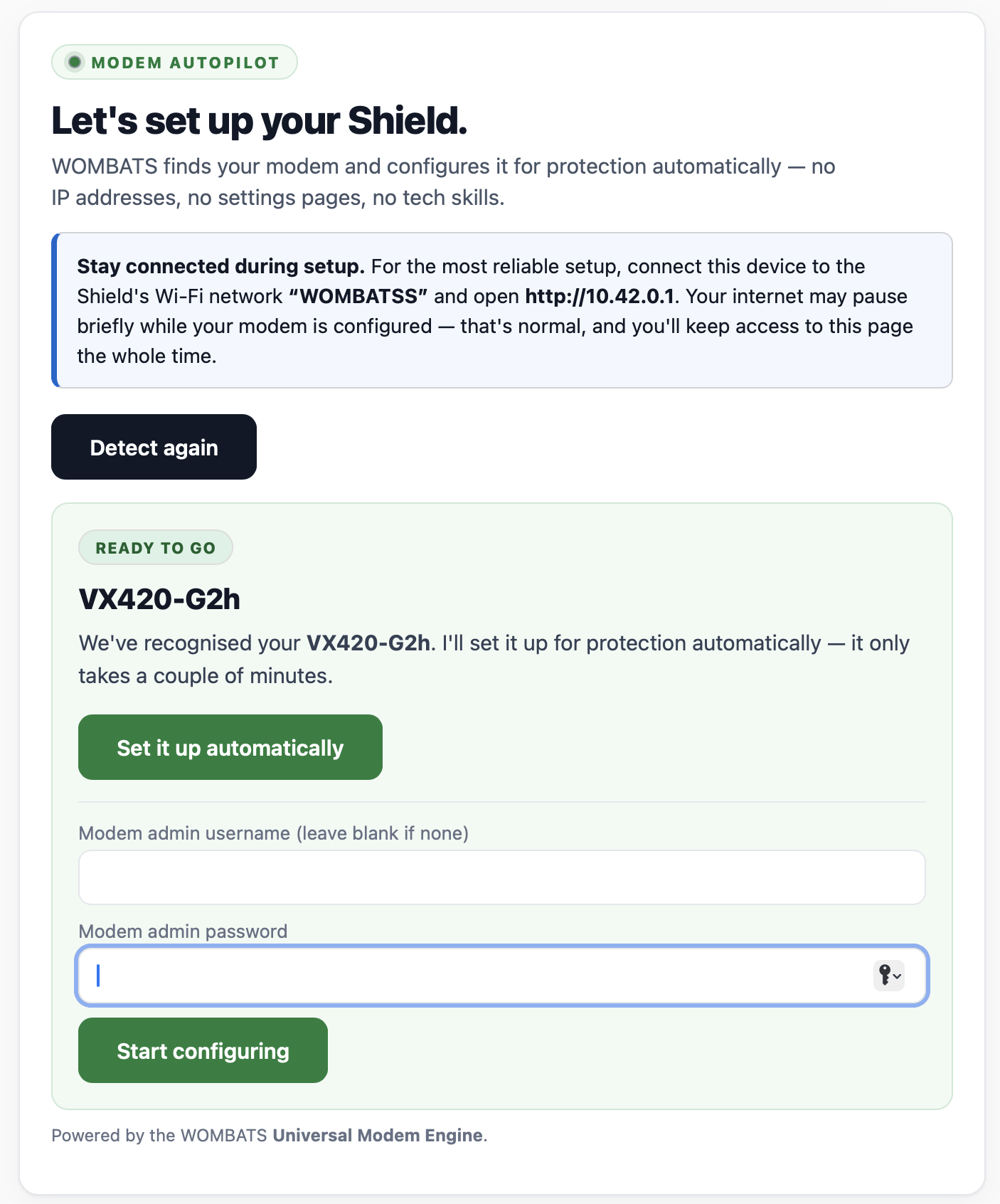
For step-by-step instructions on each page of Shield's local dashboard, see the owner guides.
Works with the modems in most Australian homes
Modem Autopilot recognises many modems from these internet providers and brands.
Providers
Modem brands
Talk to us before ordering
These are set up through their own phone app, so Modem Autopilot can't change their settings — that includes the eero routers Superloop and Aussie Broadband offer. Tell us what you have and we'll say plainly whether Shield suits your home.
Have one of these, or another router you can only set up in a phone app?
Tested on real hardware with modems that Telstra, Optus, TPG, iiNet and Vodafone have supplied, and with retail TP-Link and NetComm modems. If your provider sent you a new modem recently, tell us which one you have. Other mesh Wi-Fi systems, double-NAT and ISP-locked routers can need extra steps as well. If you have one of these, or your network setup is unusual, talk to us before ordering — founding members get hands-on setup help.
For the whole house, your modem hands the network over to Shield. Your Wi-Fi name stays. Your coverage stays. Nothing gets re-paired — every phone, laptop and TV already on your network is simply protected from then on. And removing it one day is just as honest: take Shield out, factory-reset the modem, and you're exactly where you started.
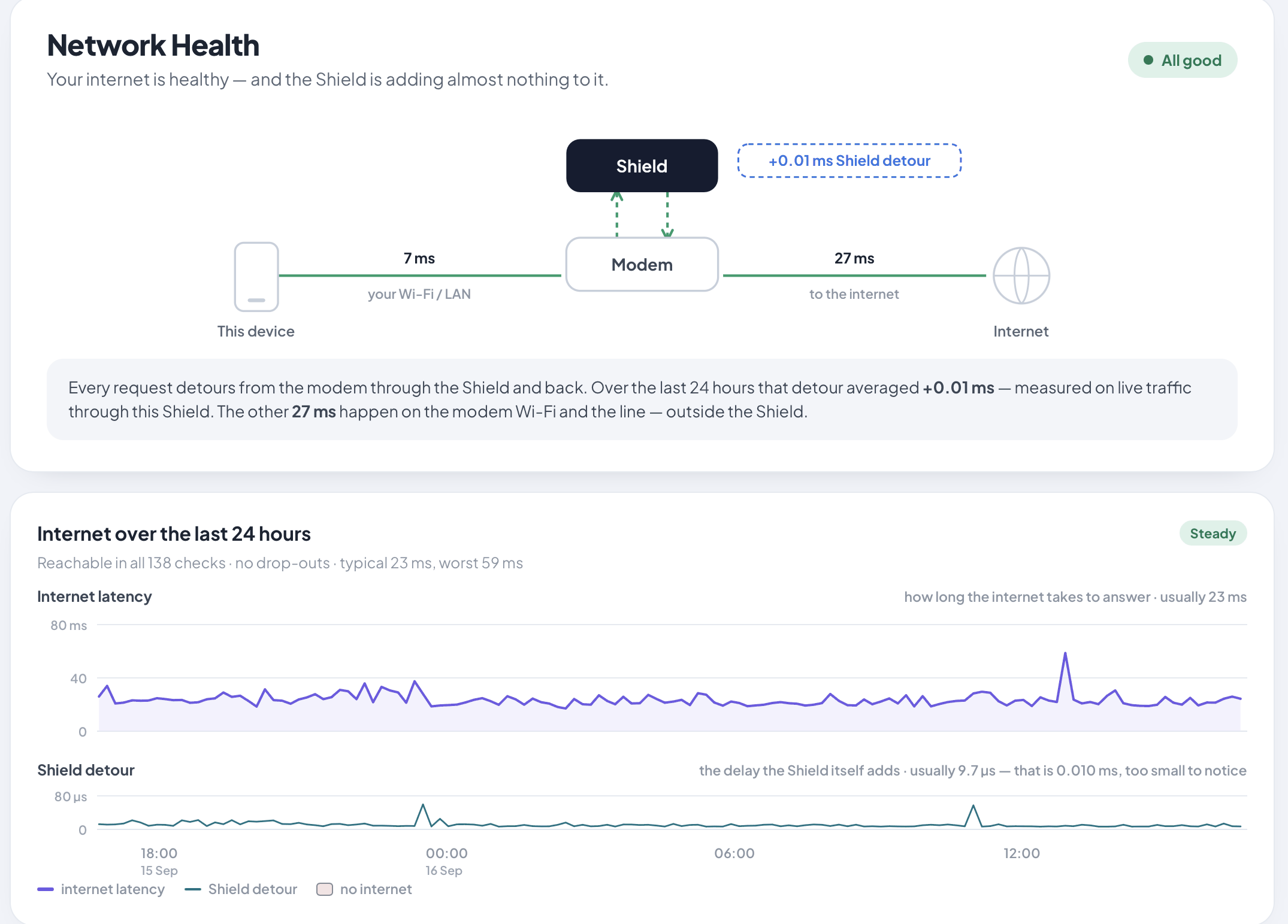
No telemetry leaves your house. The dashboard runs on Shield itself, on your network. Pause a device, exclude a category, or just leave it alone for months.
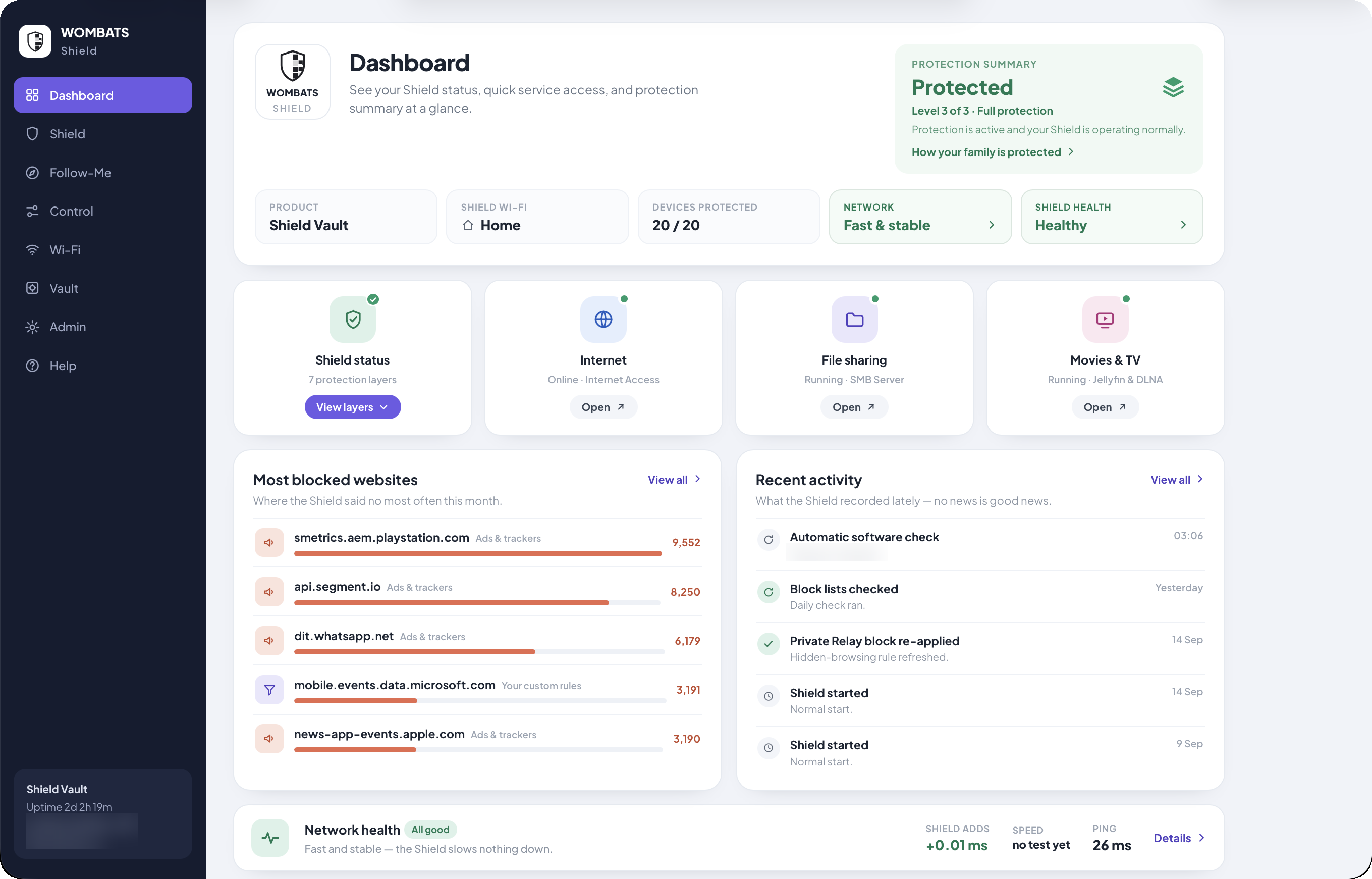
Whether protection is on, how the network is doing, and which sites were blocked most, all counted on the Shield itself.
Shield Vault shown
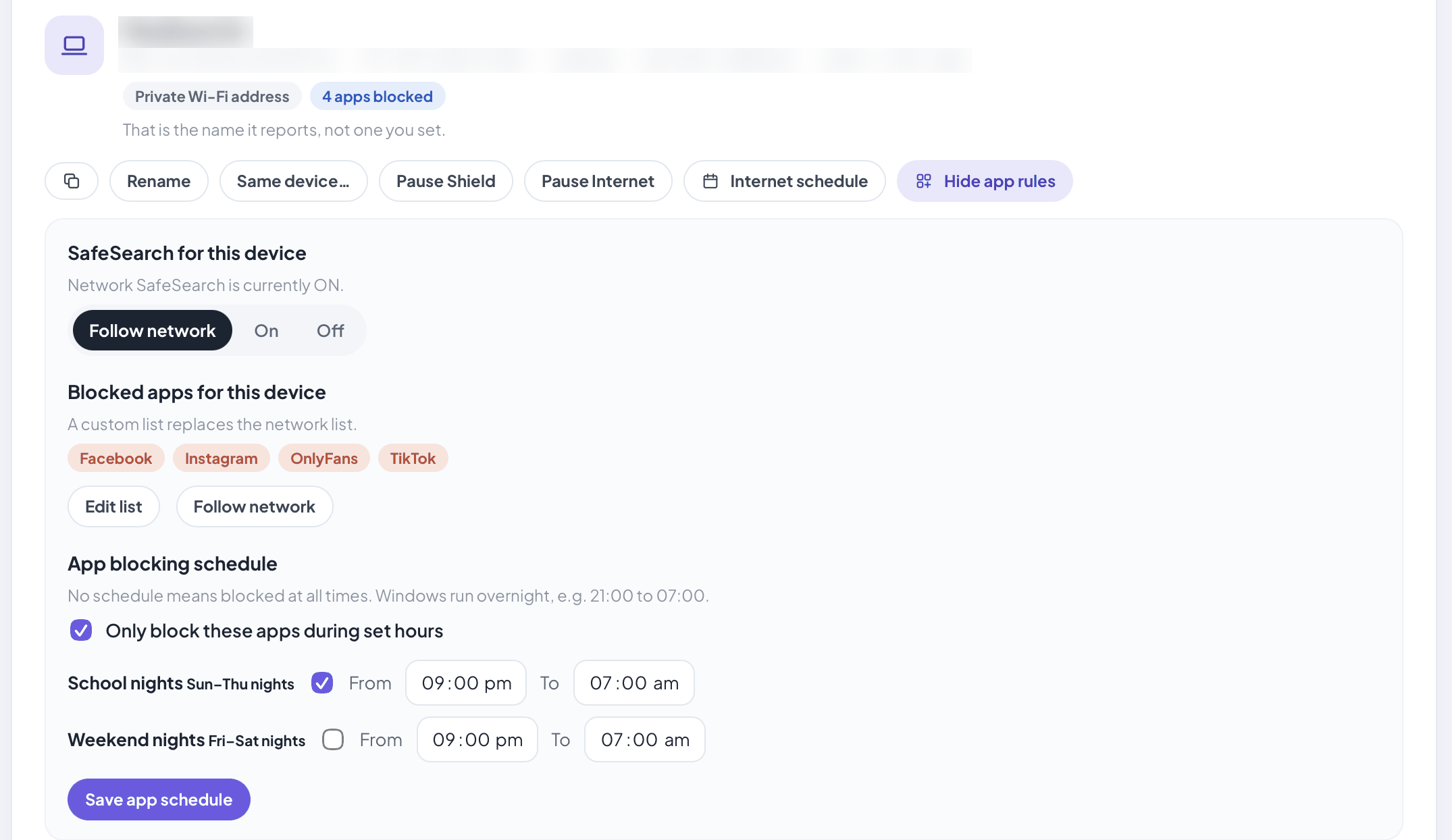
Pause a device or set its internet hours without touching the rest of the house. On Edge and Vault, give one device its own SafeSearch and blocked apps, even just on school nights.
On Shield Edge and Vault
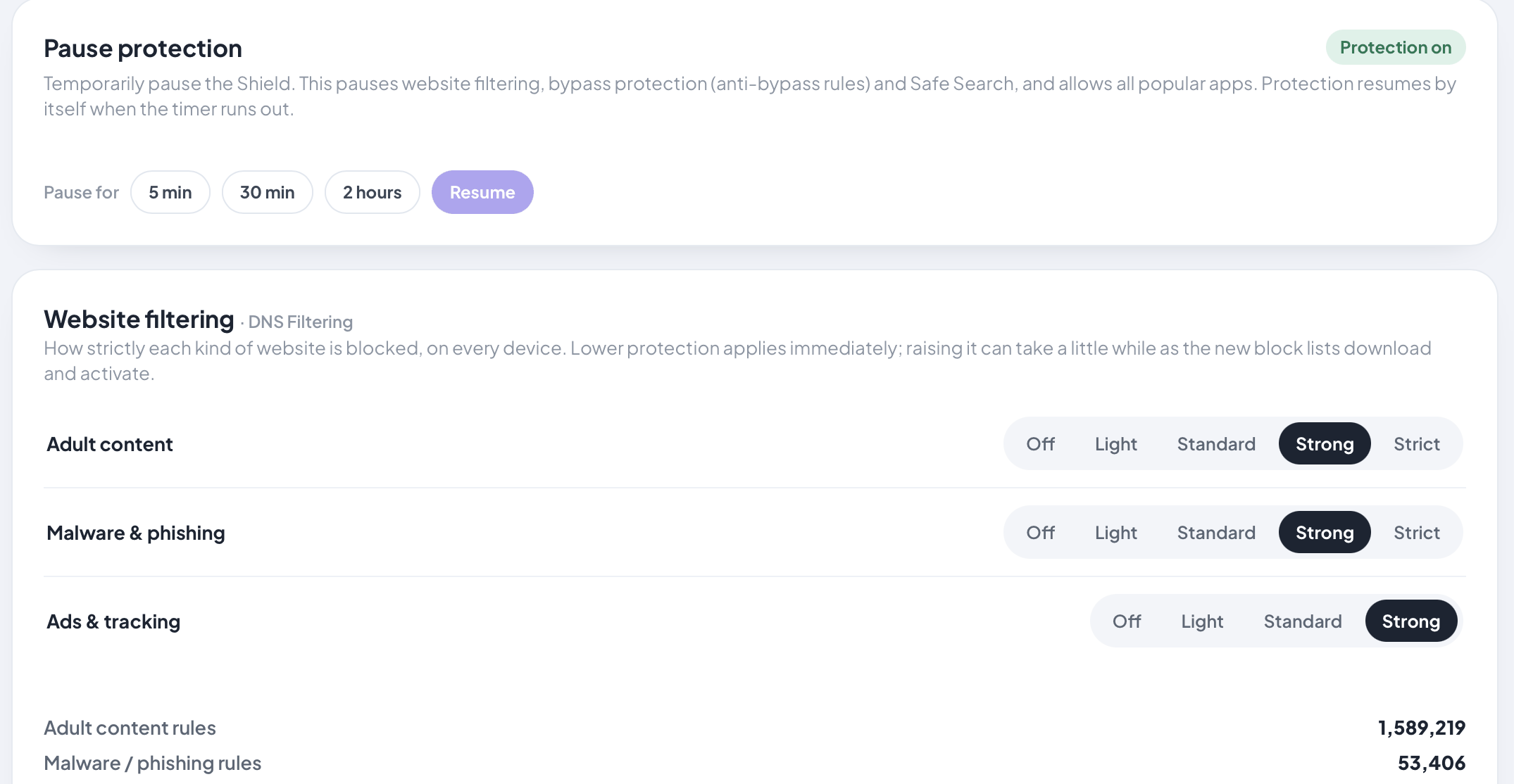
Choose how strictly each kind of site is filtered, or pause protection for a while.
Real screens from a Shield Vault, with demo settings. Device names, network addresses and a few internal details are blurred.
When a device on your network tries to reach a website or service, it almost always starts with a DNS lookup. Shield evaluates that lookup against your active filter sources and policy, then either finds the address or stops it at the door.
A laptop, phone or TV asks the network: "where is example.com?"
Shield evaluates the lookup against your active filter lists, household categories and per-device policy.
If blocked, the connection never starts — quietly. If allowed, Shield finds the address: at home it asks the internet's own address servers itself, so no DNS company sees your household's lookups; away from home it sends an encrypted lookup to a provider you choose — Cloudflare by default.
Local nftables rules resist common encrypted-DNS bypass paths and Apple Private Relay traffic on the network.
More on the security and disclosure side at /security.
A network‑level appliance has clear boundaries. We'd rather name them up front.
The full version is on the Privacy & security page.
Founding price locked in for life. No subscriptions.