Adult content and age-inappropriate sites
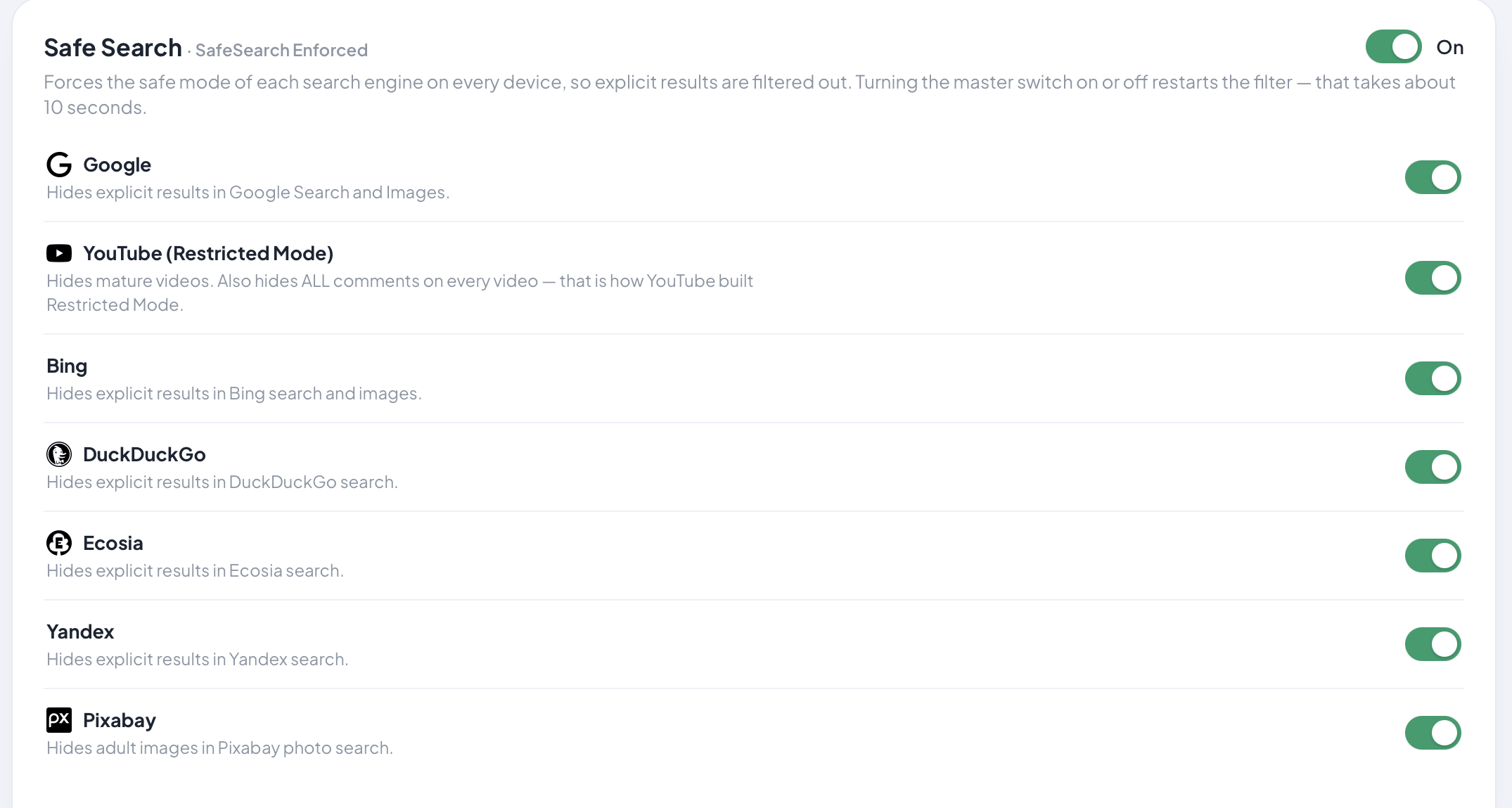
Blocked across the whole network, on every model, with SafeSearch enforced on supported search engines so results stay filtered even when the site itself is allowed.
A small box that plugs in behind your modem. Every device on your home Wi-Fi is filtered — phones, laptops, the TV, the console — with nothing to install on each one. On Shield Vault, Follow-Me Filtering keeps your rules on the kids’ phones away from home.
Buy once, no subscription · 30-day home trial for AU & NZ households · 12-month warranty · Designed and engineered in Australia
Blocked across the whole network, on every model, with SafeSearch enforced on supported search engines so results stay filtered even when the site itself is allowed.
Filtered for the entire house at the network level — the smart TV and the games console included, not just the devices you can install software on.
The same filter that strips ads also refuses known phishing and malware destinations, for every device on the network.
Pause one device or set bedtime hours, on every model. Dinner is dinner, and the argument is with the schedule rather than with you.
Switch off popular apps and services for the whole house — over 130 in the catalogue — on every model.
And it holds. Apps built to stay online, TikTok and Meta's among them, switch to a backup route the moment the obvious one is blocked; a Shield closes the main route and the backup routes at the network, and we re-test the popular apps every month.
On Shield Edge and Shield Vault, filtering, SafeSearch and app blocking can also be set per device, so one child's rules aren't the whole household's. On Shield Core these apply to the whole network at once.
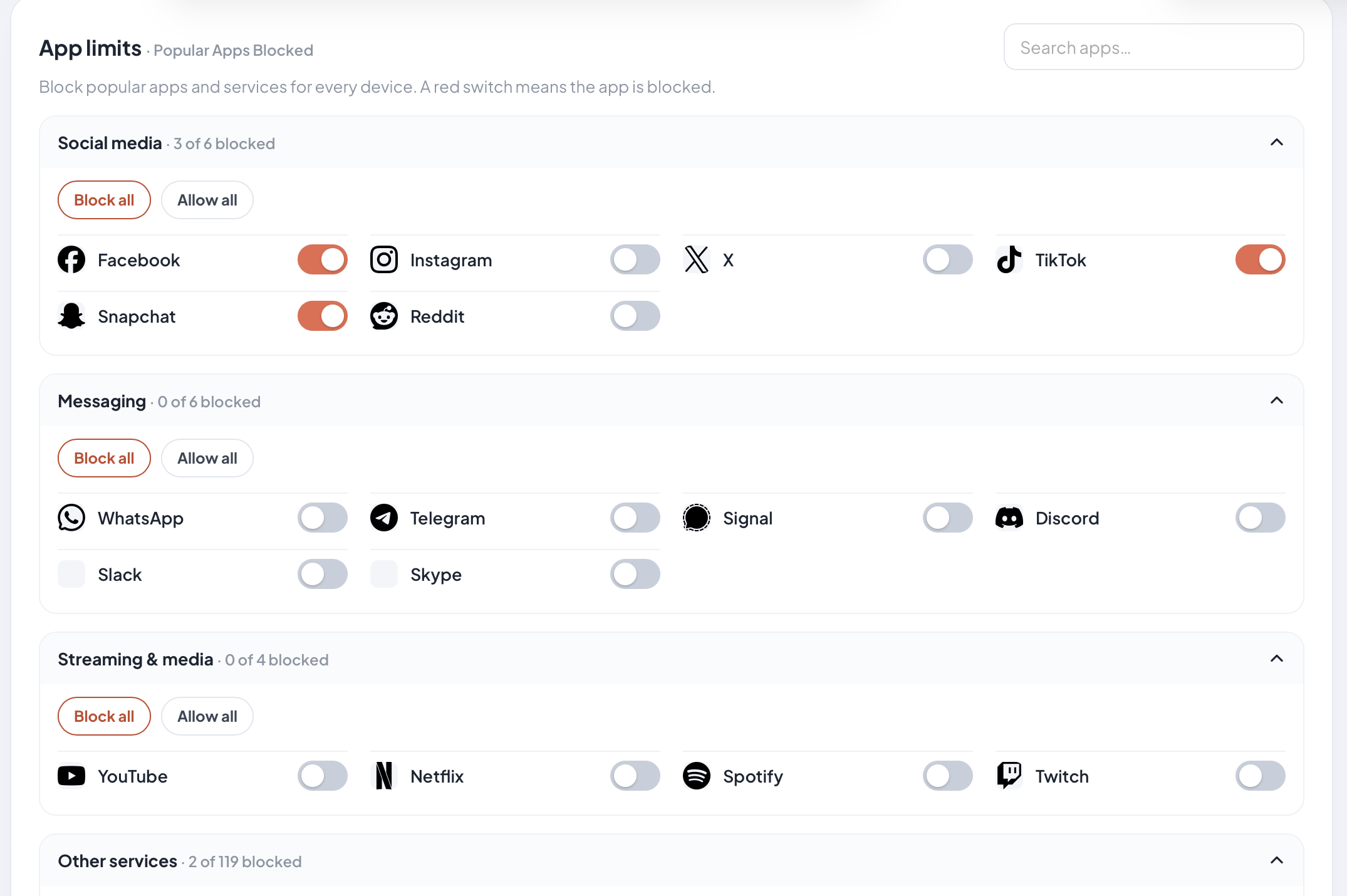
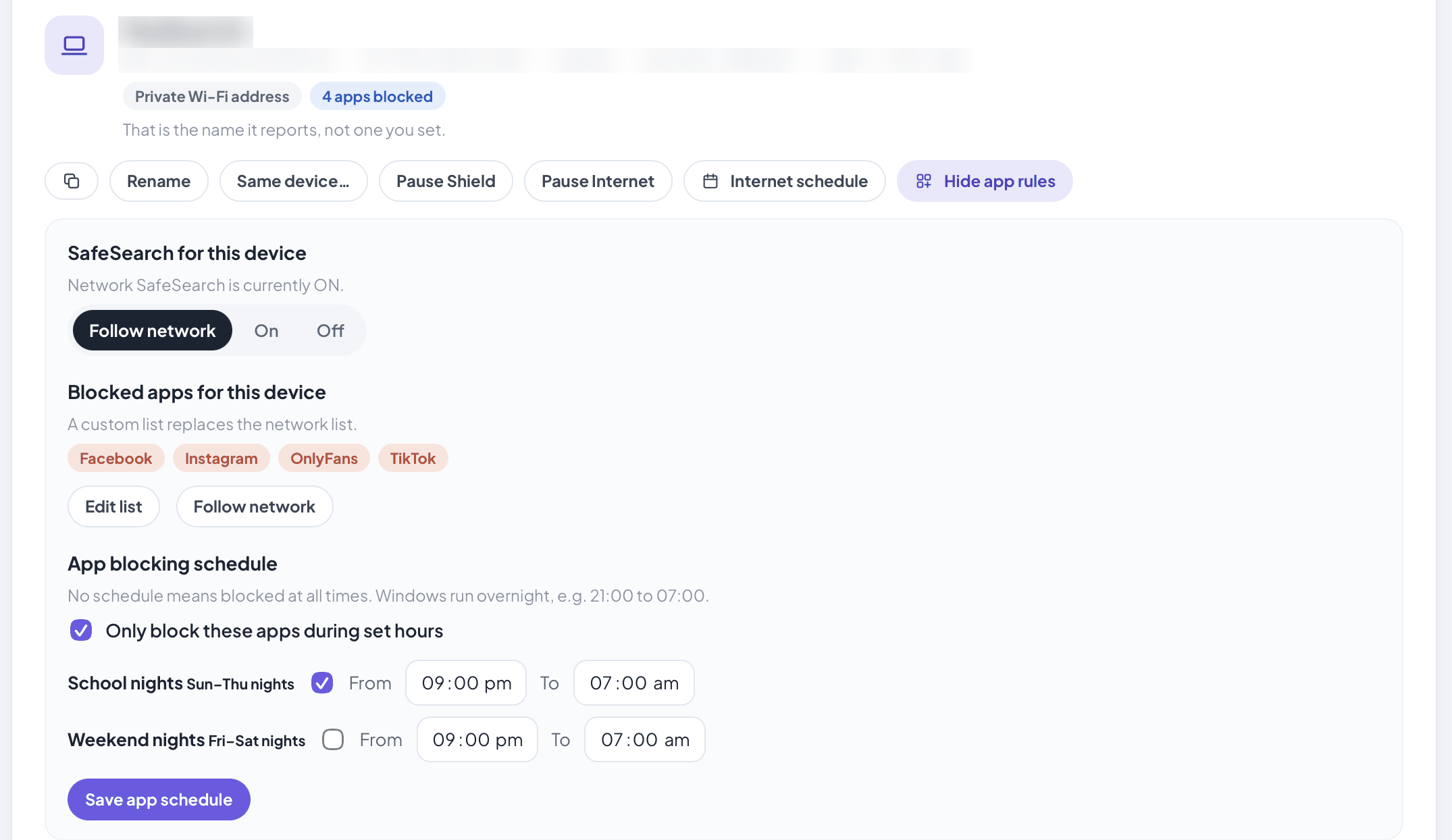
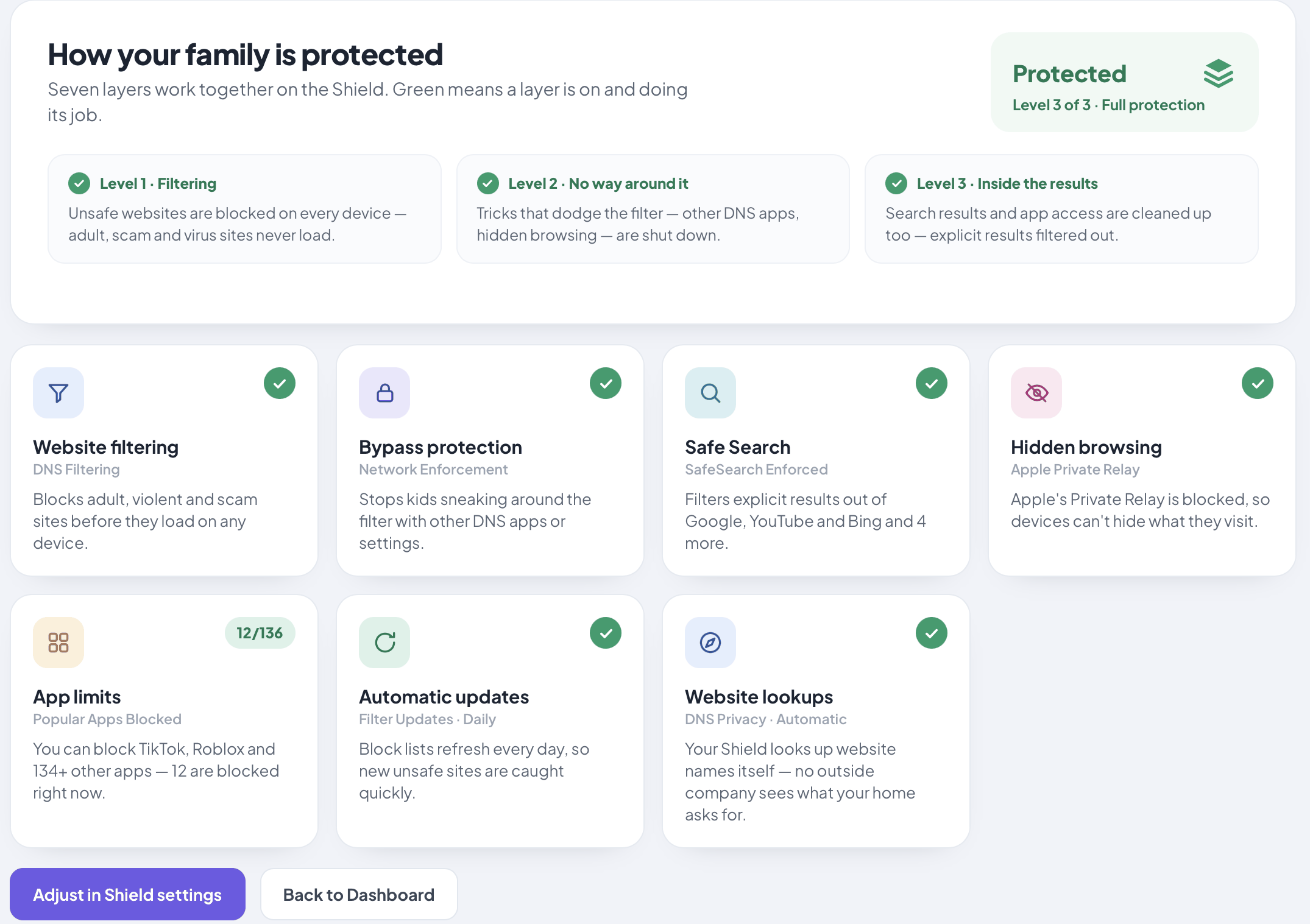
Real screens from a Shield Vault, with demo settings. Names and network addresses are blurred. Why TikTok stays off on a Shield, with the one-take recording →
Filtering happens on the box behind your modem, and you manage it from a page the box itself serves — no vendor cloud login, no account with us, and nothing about your browsing sent back to us. We never see your browsing. Your internet provider can still see the sites you connect to, exactly as it always could.
Network filtering stops at the front door — the moment a phone drops to mobile data, most of it is gone. Follow-Me Filtering on Shield Vault keeps your household’s rules on that phone away from home — on mobile data, at school, at a friend’s place — as long as it can connect back to your Shield. Setup is scanning a code with a free app, and there are no accounts. The same connection also works the other way — we call it Back to Shield: a phone or laptop away from home can open your Shield’s dashboard and reach the family’s files, at your home internet’s upload speed.
Most phones connect straight back to your Shield. If your internet connection has no public IP address (Starlink, many 5G and mobile broadband plans, hotel Wi-Fi), the phone connects through our relay in Australia instead — it only routes the connection, it's end-to-end encrypted, it can see a phone's IP address and when it is connected (which we don't log), and there's no subscription.
Safety first. Follow-Me rides on your home internet. If that goes down, a phone locked to always-protected would have no internet at all until it reconnected, and a kid needs to be able to get online. So the switch stays in their hands.
Visibility, not a force field. Nothing on a phone a teenager holds is tamper-proof: a reset, a friend’s phone, a hotspot. We won’t sell you a force field that isn’t one. What you get is the Follow-Me page on your Shield, which shows every phone’s last 24 hours (at home, protected away, offline, and drops), so “switched off” is a conversation the same evening, not a secret.
Stopping deletion is the phone’s job. Screen Time on iPhone can lock app deletion, and Family Link manages installs on Android. Both pair with Follow-Me. Filtering buys you defaults and visibility; the conversation does the rest. Where Screen Time and a Shield overlap, and where they don’t.
Shield sits between your modem and your household. Modem Autopilot recognises the modem and configures the protection for you — join the Wi-Fi that Shield broadcasts, have the modem’s admin login to hand (the one on its sticker), press one button. It works with the modems in most Australian homes, and Guided Setup walks you through any it can’t set up by itself. Starlink, eero, Google Nest Wifi, Google Wifi and TP-Link Deco are the exception: they’re set up through their own phone app, so talk to us about those before ordering. Nothing is installed on a single device in the house, and there is no browser extension to add or forget.
“When we use a public network, the amount of ads we see reminds us of the difference.”

Bilal
Liverpool, NSW · Shield Vault
“The filtering just works in the background, and that's the part I love.”
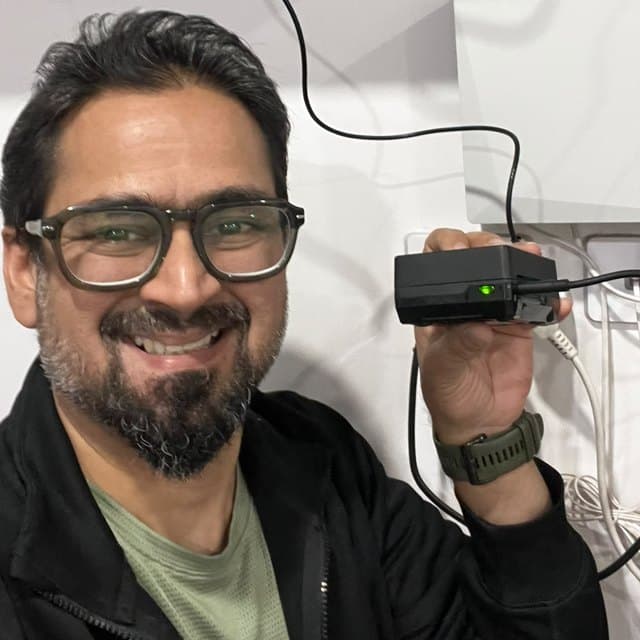
Armaghan
Sydney, NSW · Shield Vault
It just works, everything gets filtered, and nobody in the house has noticed it's there.
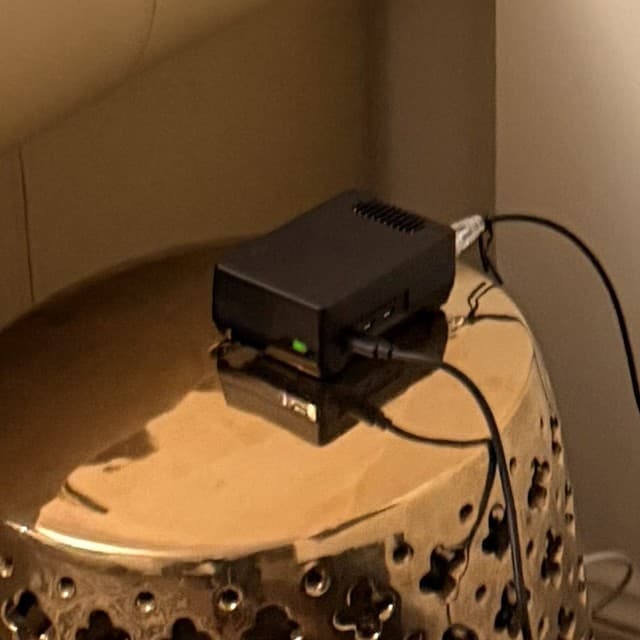
Haseeb
Sydney, NSW · Shield Vault
Our account of what he told us, approved by him.
Keystone founding members — friends of the founder who took an early unit on founding-member terms. Approved by them.
Whole-network filtering, SafeSearch, pause and schedules are on every Shield. The difference is how finely you can aim the rules, and what else the box does.
For protection, pause and schedules
For per-child app and SafeSearch rules, and your own media
For kids' phones away from home, backups and travel
30-day home trial for households in Australia and New Zealand · 12-month warranty plus Australian Consumer Law · Security updates until at least 31 December 2029
Shield blocks the common encrypted-DNS bypass paths and Apple Private Relay at the network level. It is not magic, and we’d rather you heard this from us than found out later: a determined user on a managed device can still tunnel out. You’ll see them.
No. Shield filters at the network, so anything on your home Wi-Fi is covered — phones, laptops, tablets, the TV, the console, the visitor's device. There is nothing to install per device and nothing for a child to uninstall. The one exception is Follow-Me Filtering on Shield Vault, which uses a free app on the phone that leaves the house.
No. Shield plugs in behind the modem you already have. Modem Autopilot recognises the modem and sets up the protection for you — you need the modem's admin login, the one printed on its sticker, and about fifteen minutes. It works with the modems in most Australian homes, and Guided Setup walks you through any it can't set up by itself. Starlink, eero, Google Nest Wifi, Google Wifi and TP-Link Deco are the exception: they're set up through their own phone app, so talk to us about those before ordering.
No. You buy the Shield once and it keeps working. There is no account with WOMBATS, nothing to renew, and no fee that can lapse and switch your filtering off. If WOMBATS stopped existing tomorrow, the Shield behind your modem would carry on doing its job.
Yes. Apps like TikTok and Instagram switch to a backup route the moment the obvious one is blocked, which is why a list of addresses on its own doesn't hold. A Shield closes the app's main route and its backup routes at the network, through website lookups and its own firewall, for one device or the whole house, and we re-test the popular apps every month. The one-take recording is at wombatss.com/app-blocking.
Try Shield on your own network for 30 days. If it isn't right for your home, send it back — prepaid label, full refund. The trial is for households in Australia and New Zealand.
Not ready yet?The under-16 law, practically →What family-safety apps cost →More for parents →
If it isn’t right for your home, send it back — prepaid label, full refund (Australian and New Zealand households). Rather ask a person which model suits your house first? That’s the better first step — we’ll tell you if the cheaper one is the right one.