
What UNSW found when it tested 200 educational apps used by Australian children.
Last reviewed 4 October 2026
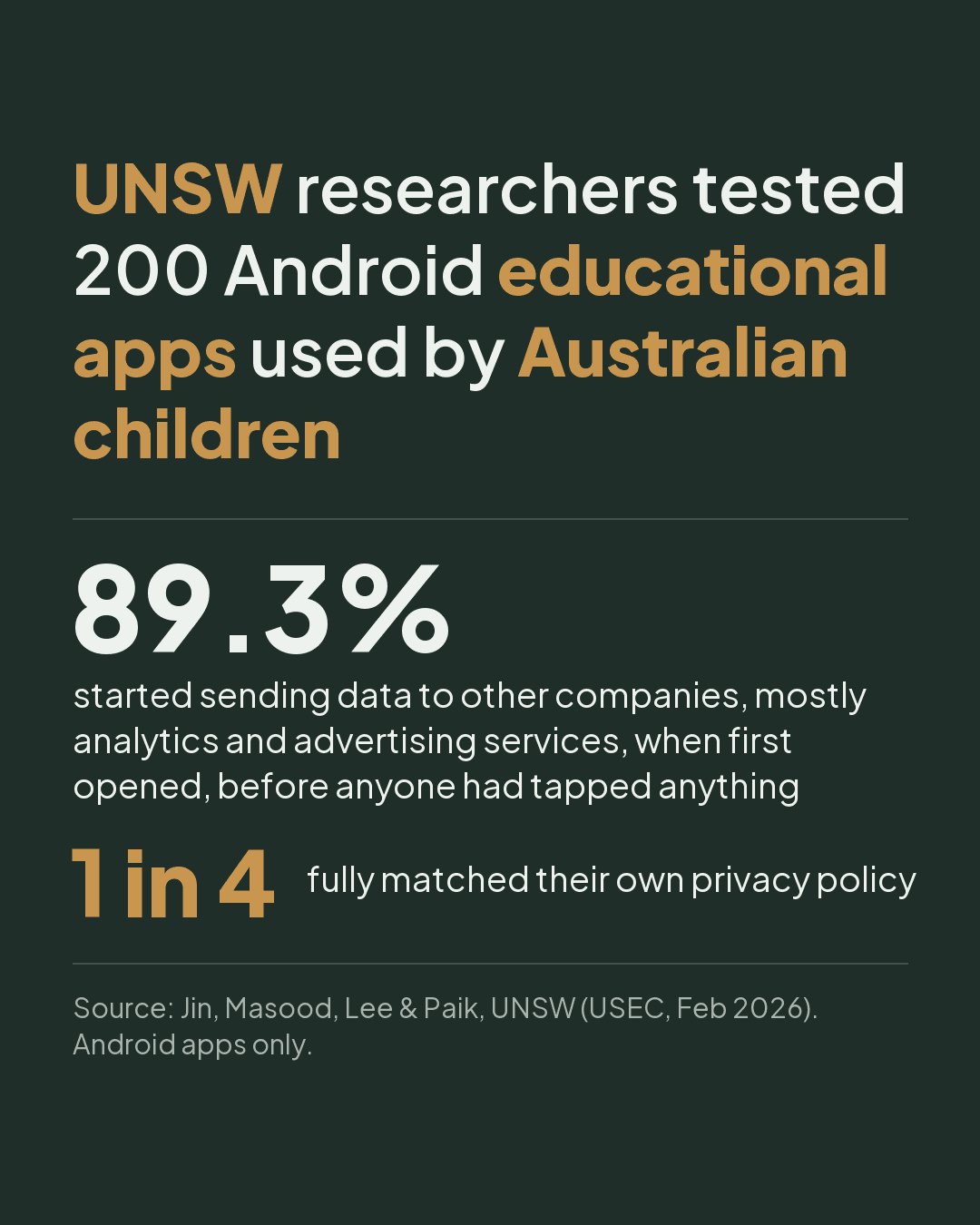
Researchers at UNSW Sydney tested 200 Android educational apps used by Australian children. Most came from school recommendation lists, state education department websites and the national schools catalogue; the rest from Google Play. Nearly 9 in 10 started sending data to other companies when first opened, before anyone had tapped anything.
What the researchers found.
- 89.3% started sending data before a single tap. Just opening the app was enough. The data went mostly to analytics and advertising services.
- 83.6% sent a code that stays with the device, so the device can be recognised from one app to the next.
- Only about 1 in 4 fully matched their own privacy policy. One app listed as collecting no data was sending that kind of code from the moment it opened.
- 97% of the privacy policies needed a university reading level, so reading the fine print isn’t a realistic fix for most parents.
- Apps branded for children were no better. 76% of them showed a mismatch with their own policy, against 67% of general educational apps.
These are the researchers’ findings, reported by UNSW. The study covered Android apps only, and apps change with every update.
What’s changing.
Most Australians already think this isn’t fair. In the OAIC’s 2026 Australian Community Attitudes to Privacy Survey of 1,504 adults, 96% said online tracking, profiling and targeted advertising aimed at children is not fair and reasonable, up from 89% in 2023. 78% said they have very little or no control over how their personal information is collected and used.
Australia’s privacy regulator, the OAIC, has to finalise and register a new Children’s Online Privacy Code by 10 December 2026. It will set rules for how online services that children are likely to use handle their personal information.
Three things parents can do this week.
- List the school apps on the kids’ devices and ask the school which ones are needed this term. Skip the optional ones.
- Delete the advertising code. On Android: Settings, then Privacy, then Ads, and tap Delete advertising ID (or search “Ads” in Settings; menus vary by brand). On iPad or iPhone: Settings, then Privacy & Security, then Tracking, and switch off Allow Apps to Request to Track (on a child’s Apple Account it’s already off).
- Delete the apps nobody uses any more, and switch off any permission an app doesn’t need.
Where a home network filter fits.
WOMBATS Shield, designed and engineered in Australia, sits behind your modem and blocks known ad and tracker addresses for every device on your home Wi-Fi, with nothing to install on the kids’ devices.
On 4 October 2026 we checked a Shield on the current update against the four services the UNSW paper gives as examples of where apps sent data before a tap. It blocked three: Google’s app analytics, Google’s ad network and Unity’s analytics (Unity is the engine many children’s games are built with). The fourth, Firebase Installations, isn’t blocked: many apps use it to deliver notifications.
Sources.
- UNSW Newsroom: the study, reported by UNSW (8 April 2026)
- The paper: “Analysing Privacy Risks in Children’s Educational Apps in Australia” (Jin, Masood, Lee & Paik, USEC, February 2026)
- OAIC: the Children’s Online Privacy Code
- OAIC: privacy for kids, for families
- OAIC: Australian Community Attitudes to Privacy Survey 2026
- Google: the Android advertising ID
Common questions.
Which apps were they?
The UNSW article doesn’t name them, so we don’t either, and apps change with every update. The researchers’ paper is public if you want the full detail (it’s linked under Sources on this page).
We use iPads. Does this apply to us?
The study tested Android apps only, so iPad versions may behave differently. The steps on this page still help, and the iPad setting in step 2 is the closest thing to deleting the advertising ID.
Should we stop using the apps the school asks for?
No. Keep the ones your child actually needs for school. The point is to ask which ones are needed this term, skip the optional extras, and clear out what nobody uses any more.